// Help
WarpRacer Help / Controls
Xbox-style controller defaults for driving, combat, and menus. You can remap controls in-game.
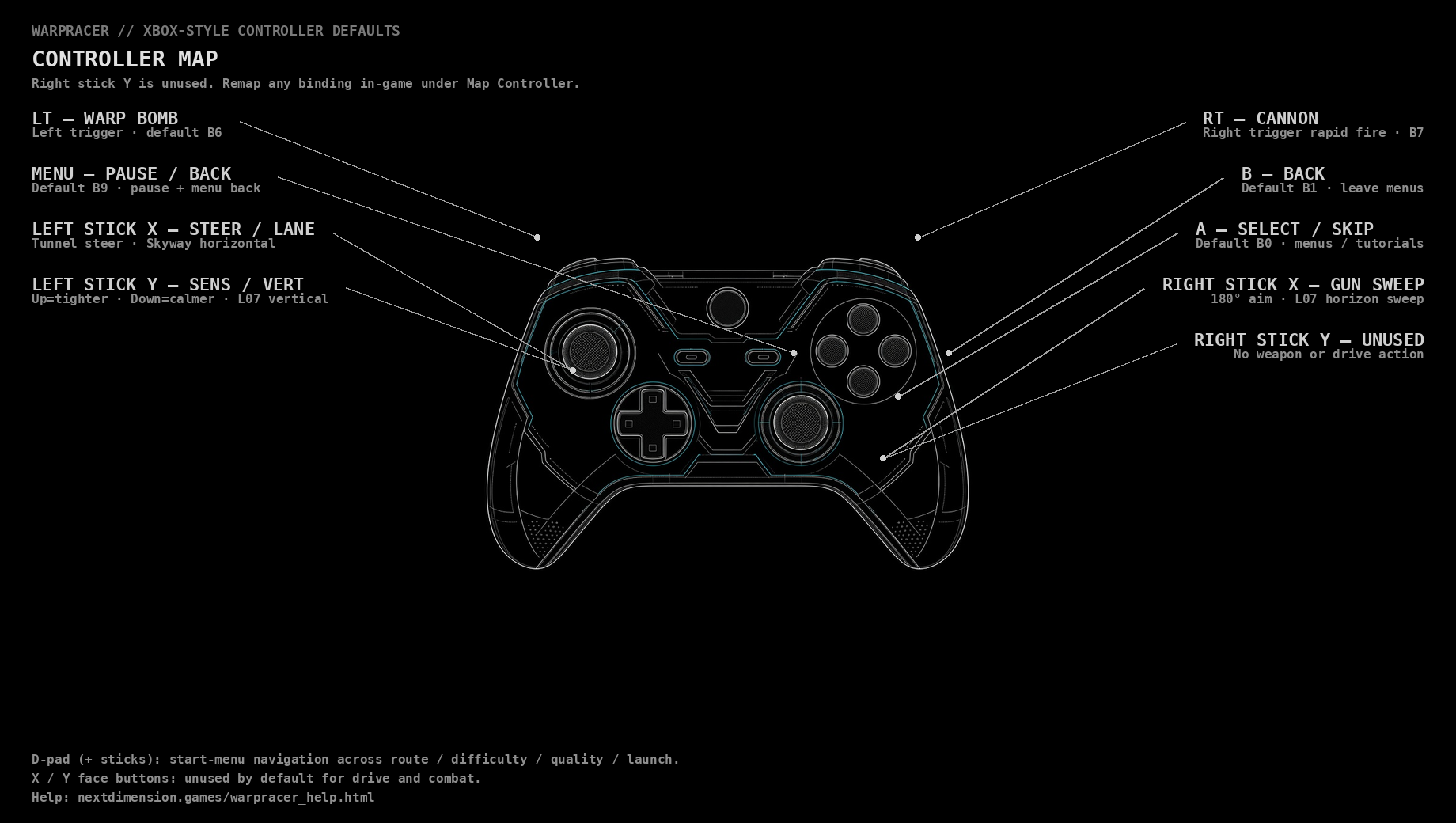
Default bindings
| Action | Xbox control | What it does |
|---|---|---|
| Steer / drive | Left stick | Bank through tunnels and hold the racing line. |
| Aim cannon | Right stick | Sweep the roof-mounted cannon across the route. |
| Fire cannon | RT (Right Trigger) | Blast hostile traffic and threats. |
| Warp Bomb | LT (Left Trigger) | Launch a Warp Bomb. |
| Boost | Boost gates | Hit gates on the route — not a controller button. |
| Select / Skip | A | Confirm menus and skip story cards. |
| Back | B | Leave menus. |
| Pause | Menu | Pause the game and back out of menus. |
| Menu navigate | D-pad / sticks | Move through the start menu and options. |
Camera is a fixed chase view. Face buttons X and Y are unused on the default drive map.